FireBooks for Android
Your dashboards, alerts and plain-word answers from your books, on your Android phone.
Get it on Google Play
Download the FireBooks apps for your phone, and FireSync for your computer so your Tally data stays up to date.
Your dashboards, alerts and plain-word answers from your books, on your Android phone.
Get it on Google PlayYour dashboards, alerts and plain-word answers from your books, on your iPhone.
Runs on your computer and brings your Tally data into FireBooks, then keeps it updated whenever your PC is on.
Download FireSyncThe phone apps show your numbers. FireSync is what brings your Tally data in and keeps it up to date.
Follow these steps to install FireSync on Windows.
When the download finishes, open firesync-2.5.10-setup.exe from your Downloads folder, or from your browser’s download list.
Windows may show a blue screen saying “Windows protected your PC”. That is expected for the FireSync installer, so do not stop there. It has only a Don’t run button, which you should not click. Select the small More info link under the message instead.
Windows SmartScreen warns about any installer it does not recognise yet, and lists its publisher as “Unknown”. Only download FireSync from this page. If you do not see the warning, simply carry on with the installer.
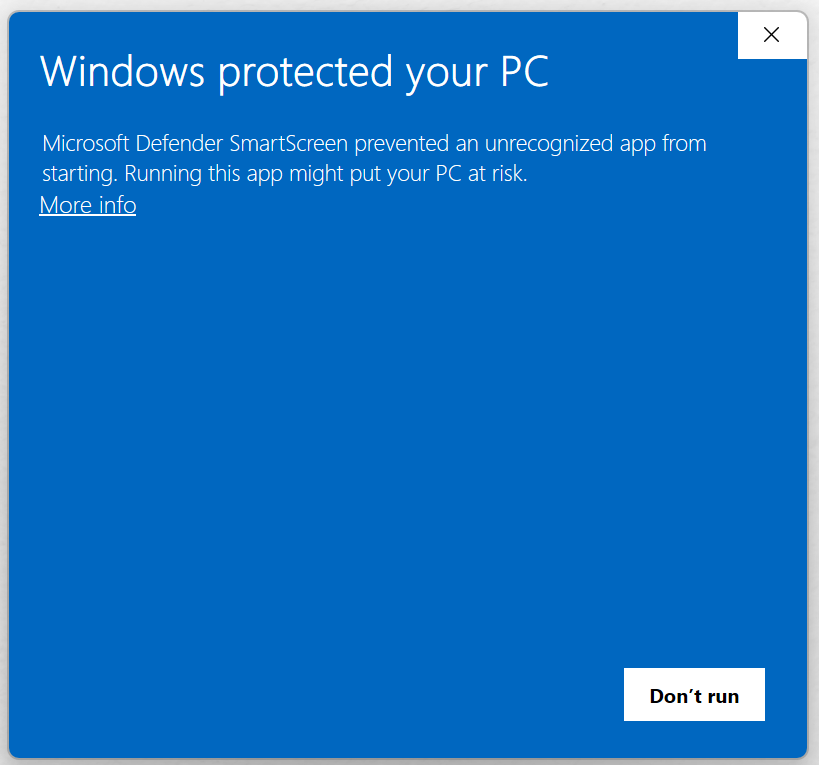 Click hereNot this one
The screen now shows the app name, firesync-2.5.10-setup.exe, and the publisher as Unknown publisher. A new Run anyway button appears. Click it to start the installer.
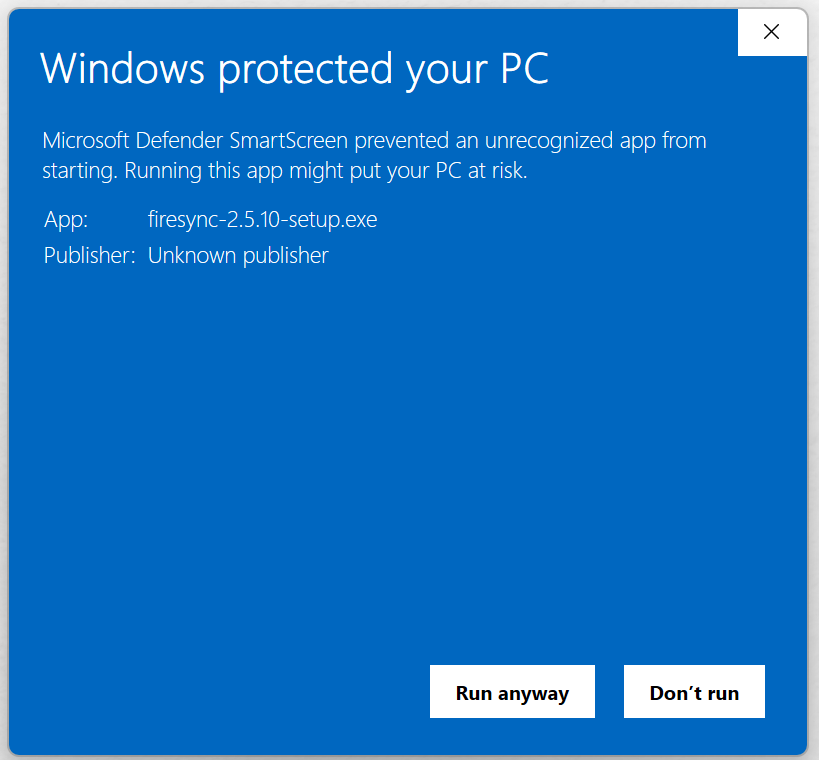 Click here
Follow the installer’s on-screen steps to complete the installation. You only need to do this once.